
For landscape design/build firms
From site visit to buildable plan set.
An AI design assistant for landscape firms. It runs on your Mac inside SketchUp and LayOut, turns what you collect on site into an editable model, and draws a branded plan set your crew can build from.
How it works
Four stages, one model
Groundwork works the way a design/build firm already does, from what you measured on site to sheets your crew builds from.
Gather
Survey or plot plan, Moasure and tape measurements, photos, LiDAR and the client brief.
Design
Layout, real catalog products, and plants chosen for your hardiness zone.
Model
House, grades, hardscape and planting built as an editable SketchUp model.
Draw
Arch D plan set in LayOut with your logo, plus a material takeoff.
A designer signs off on the site read, the design and the model before the next stage starts.
What you get
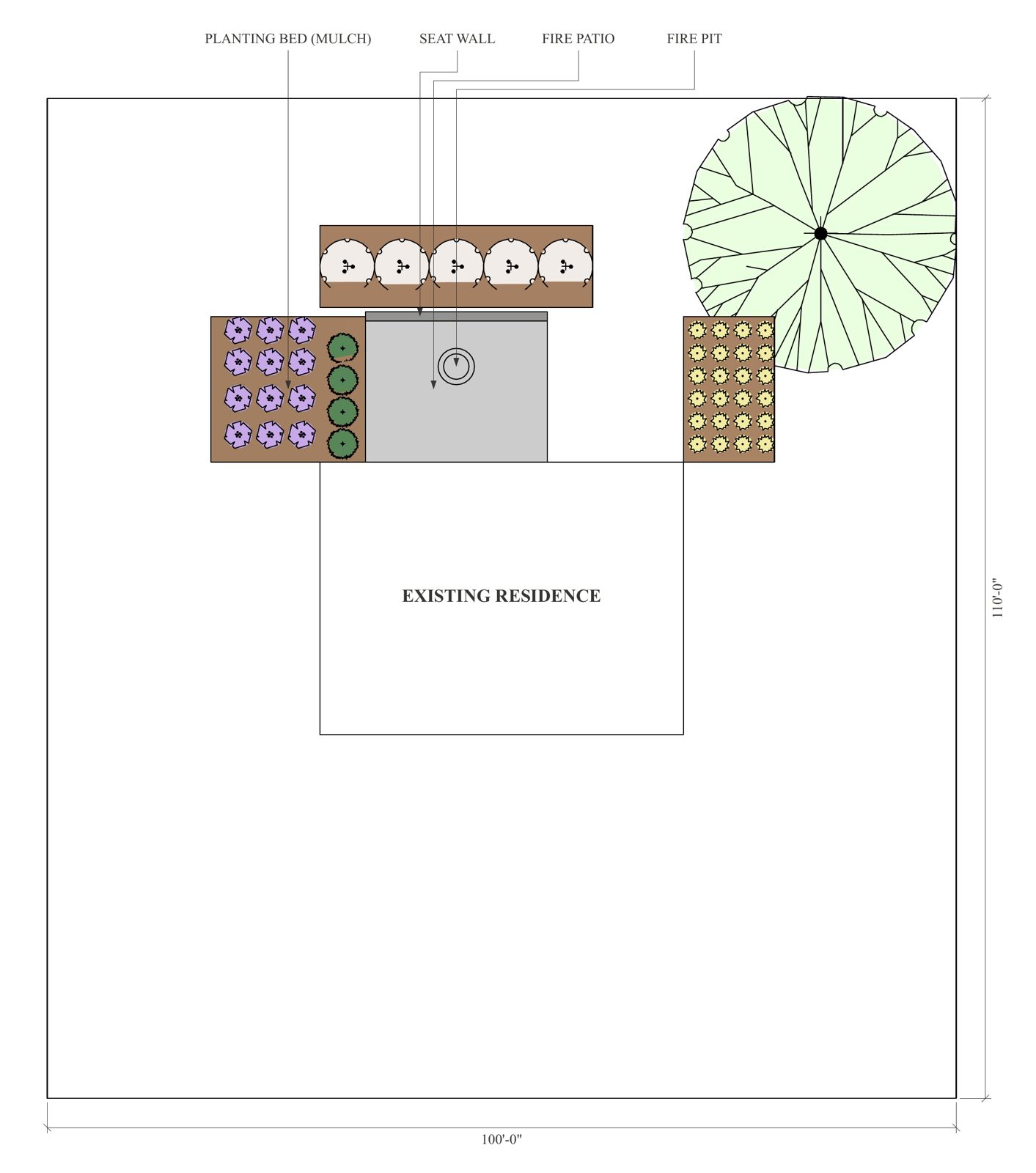
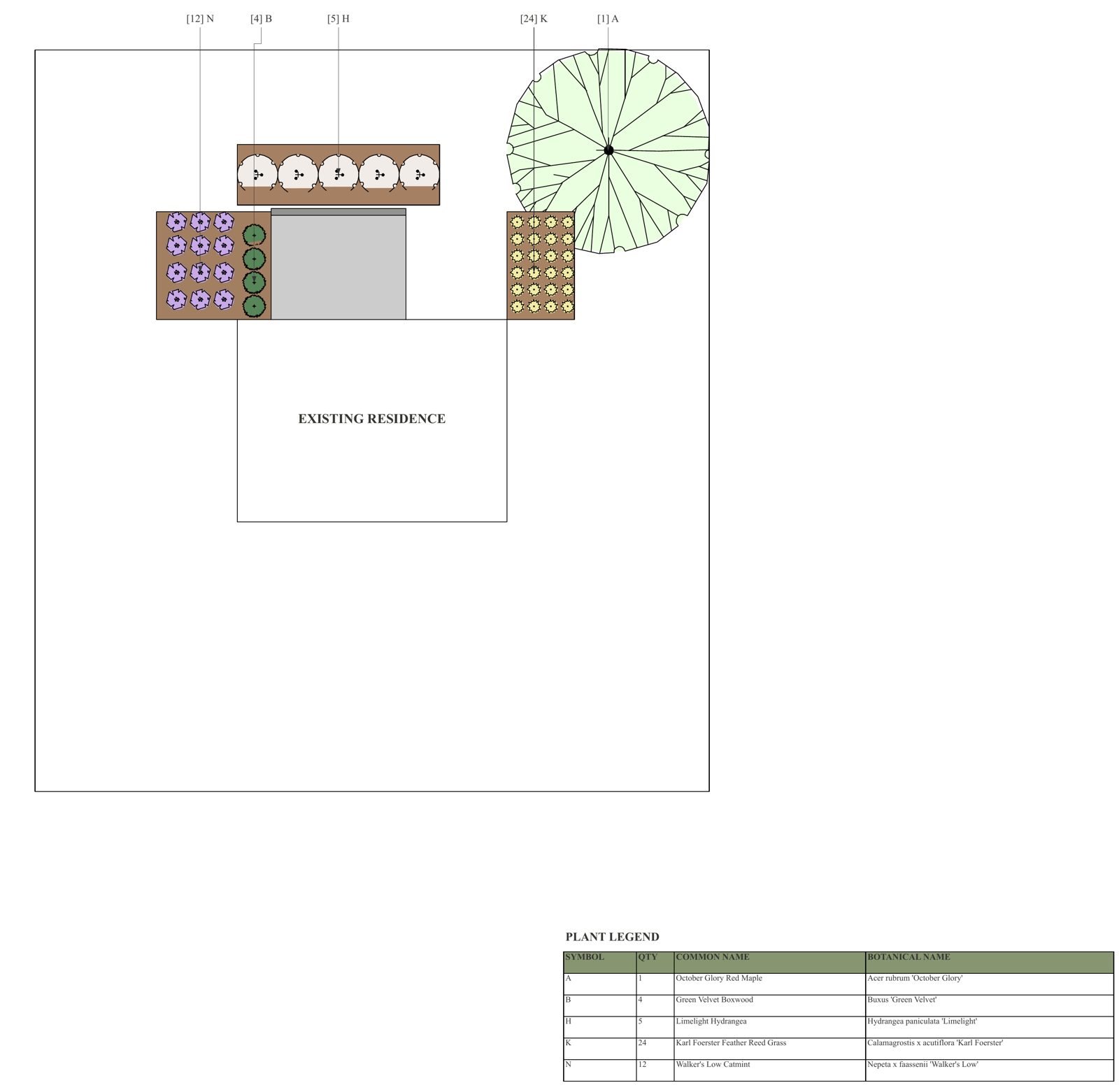
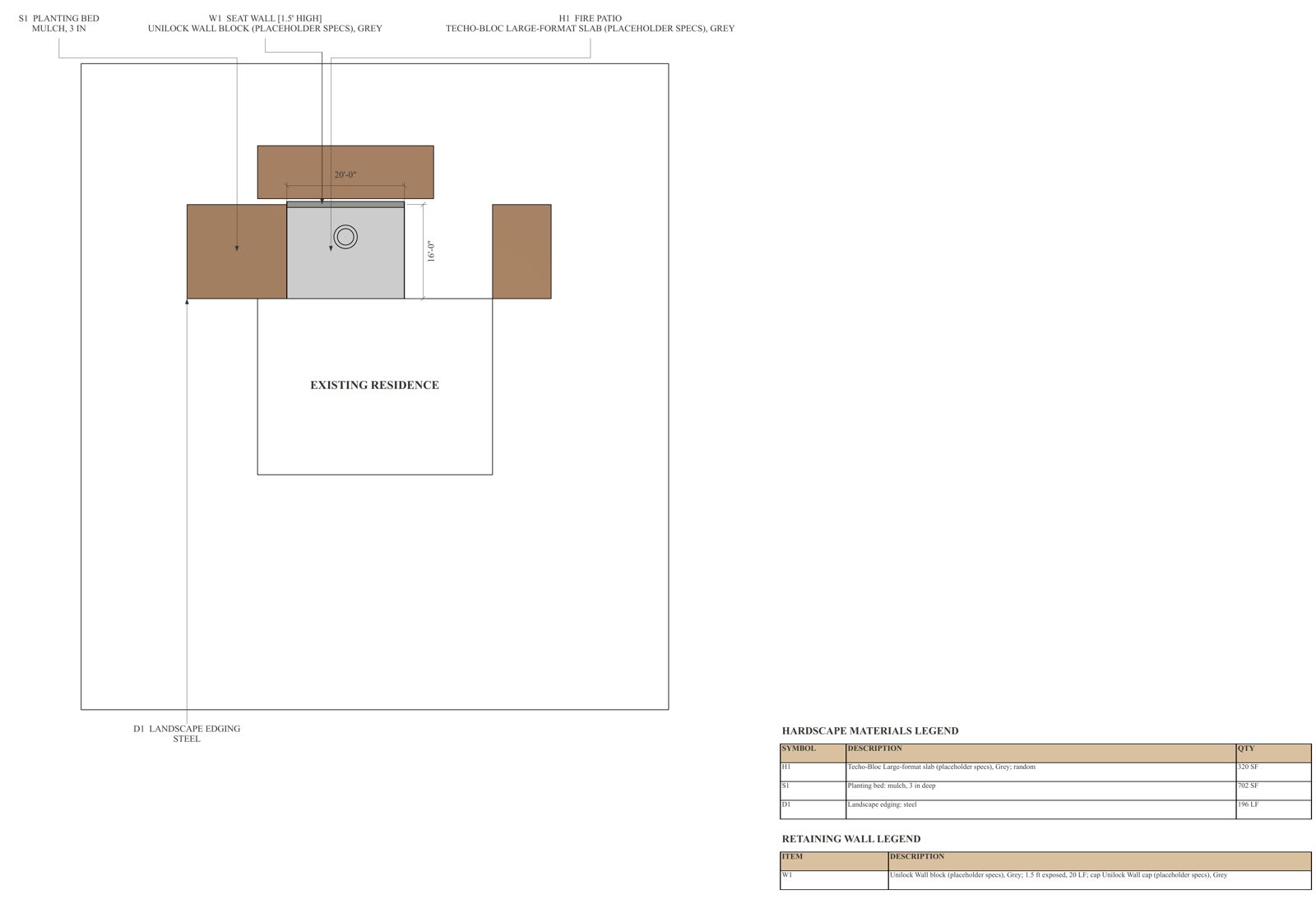
A three-sheet Arch D plan set
Real LayOut sheets with your title block, drawn from the SketchUp model. Click a sheet to see it full size.
Why it is different
Built for the way your firm works
Works in the tools you already use
Editable SketchUp models and LayOut sheets, not pictures. Your team can change anything it makes.
A person signs off at every gate
Nothing moves to the next stage without a designer's approval.
It learns your firm
Each correction becomes a rule or a check, so the same mistake is caught on the next job.
Real products, real quantities
1,147 manufacturer products, plants picked for your zone, and paver bundles, base and mulch calculated.
Your brand, your data
Your logo and details fill every title block. Job files stay in a workspace on your Mac.
Sample takeoff
Quantities print on the sheets
From a sample job, not a client project: a 16 × 20 ft fire patio for six, a seat wall and framing beds.
Large-format patio slab
Bed mulch, 3 in deep
Steel edging
Plants, 5 species
Sample job. Quantities shown as they print on the sheet legends.
Built to grow with your firm
Gets better the more you use it
- Every correction your designers make becomes a rule or a check for the next job.
- Updates install over the top and keep your firm's rules and job files.
- Community sharing (opt-in). Send bug reports and general lessons back. You see exactly what goes first, names are removed, and jobs, prices, quotes and photos never leave your Mac. Shared lessons go into the next update for every firm.
Coming later
- Material packs: new manufacturer catalogs added as they are released.
- Render connections to Enscape or Twinmotion, building on models that are already render-ready.
Where it stands: Runs end to end on sample and test jobs today. A pilot on real client jobs comes next.
What you need
Requirements
Required
- A Mac on macOS 13 or newer
- SketchUp Pro 2024 or newer (includes LayOut)
- A Claude subscription (Pro or Max) to run Claude Code
- Internet for install and updates
Recommended
- Apple silicon (M1 or newer)
- 16 GB memory or more
- About 10 GB free disk space
One installer sets up the workspace and the SketchUp extension.
Pilot
Pilot openings for landscape firms
We're opening a small number of pilot spots for design/build firms that work in SketchUp. Pilot firms help shape Groundwork on real jobs.
Apply for the pilotTell us your firm name, location, number of designers and SketchUp version. Pilot terms are shared with selected firms.